Using Arrays of Objects
Note: This section assumes you’ve already read and understood the section in the previous document around how to add and edit the “Prop Spec”.
Overview
This guide will cover scenarios where you need to handle lists of items, each with multiple attributes, ensuring your data is managed efficiently and effectively.
Step 1: Adding the “object” prop
The first step in the process involves adding the “object” prop and then editing the “Prop Spec”.
Step 2: Update the “properties” key
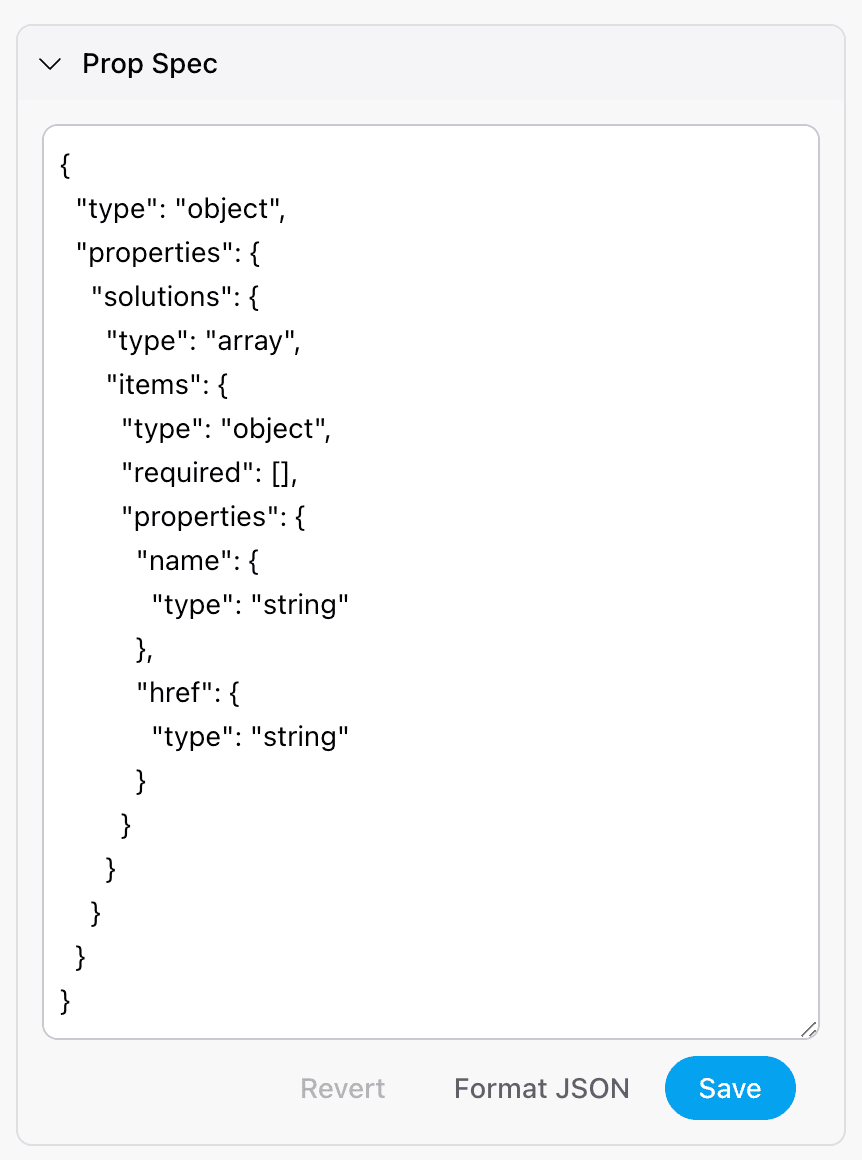
For this example, let’s edit the prop spec so that we can define an array of objects (e.g. for something like a new navigation component):
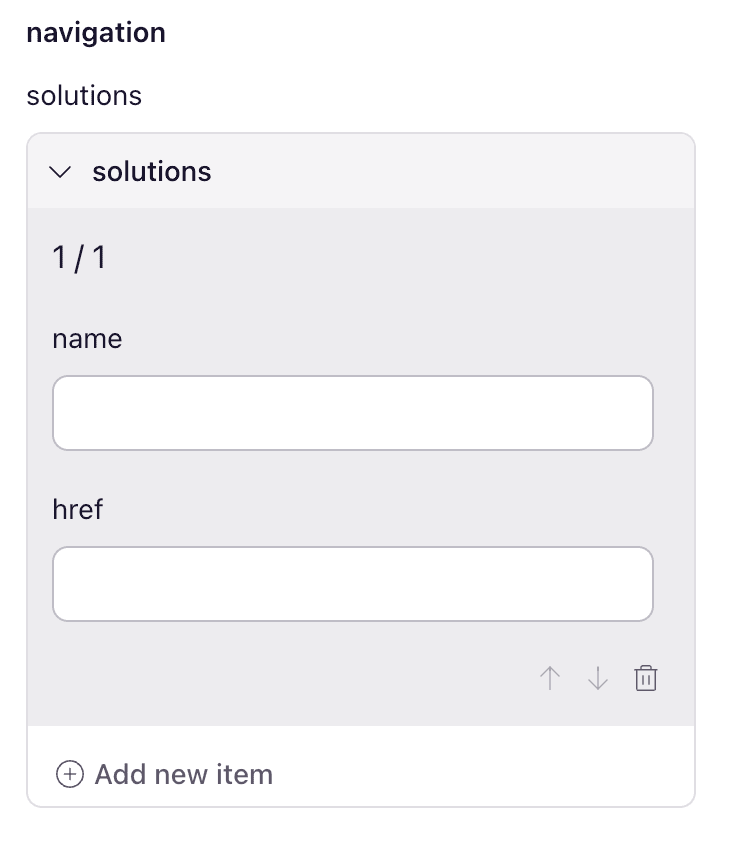
This example shows a “navigation” object prop with “solutions” defining the Array of Objects.
Step 3: Format JSON and Save the Prop Spec
After you’ve added your JSON, click the “Format JSON” button followed by the blue “Save” button.
Step 4: Save changes to the component props
Lastly, click the blue “Save Changes” button at the bottom of the right fly-out.

Conclusion
Pulling it all together we can now add arrays of objects 🎉