

Inviting Users
Overview
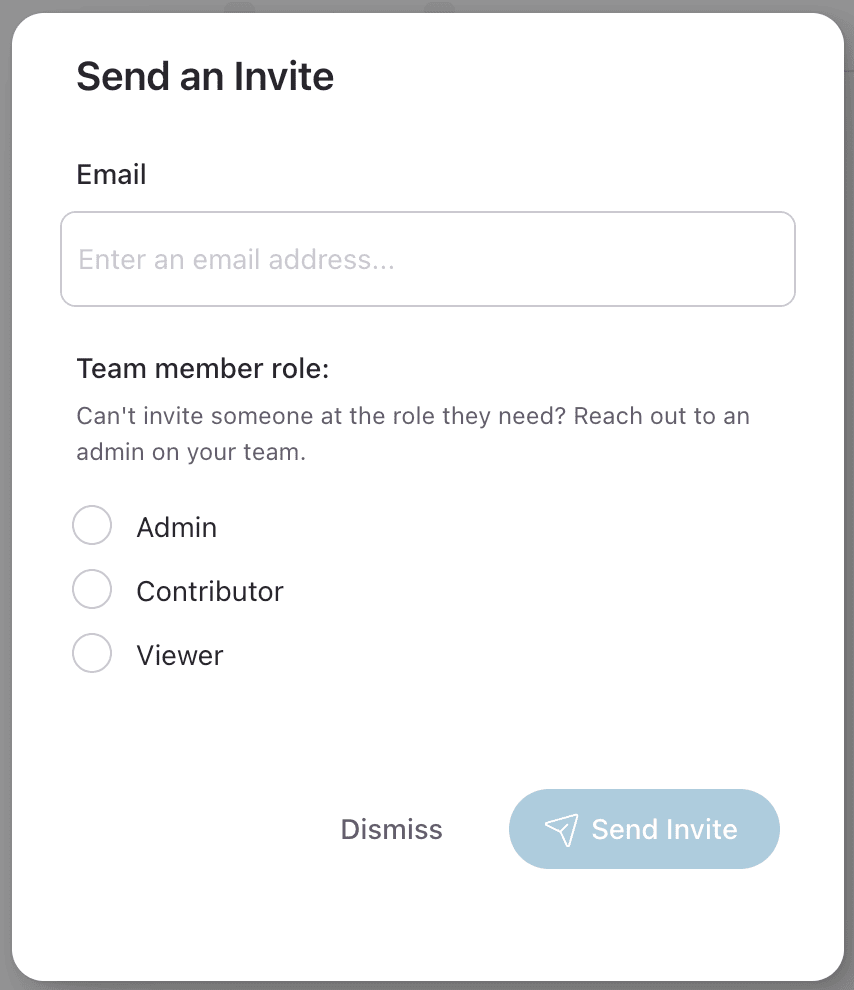
Inviting users to your Knapsack workspace is a straightforward process that allows you to control who has access based on their role. Administrators, Contributors, and Viewers can invite other users up to their own permission level (e.g., Administrators can invite other Administrators, etc).
This guide will walk you through the steps to invite new users, manage existing users, and remove users from your workspace.
Adding Users to a Workspace
Admins, Contributors, and Viewers in Knapsack have the ability to manage access to a workspace, but only up to their designated permission level. For example, Administrators can invite other Admins, Contributors, and Viewers, while Contributors can only invite other Contributors and Viewers, and Viewers can invite other Viewers.
Step 1: Navigate to the Team Members Settings Dashboard
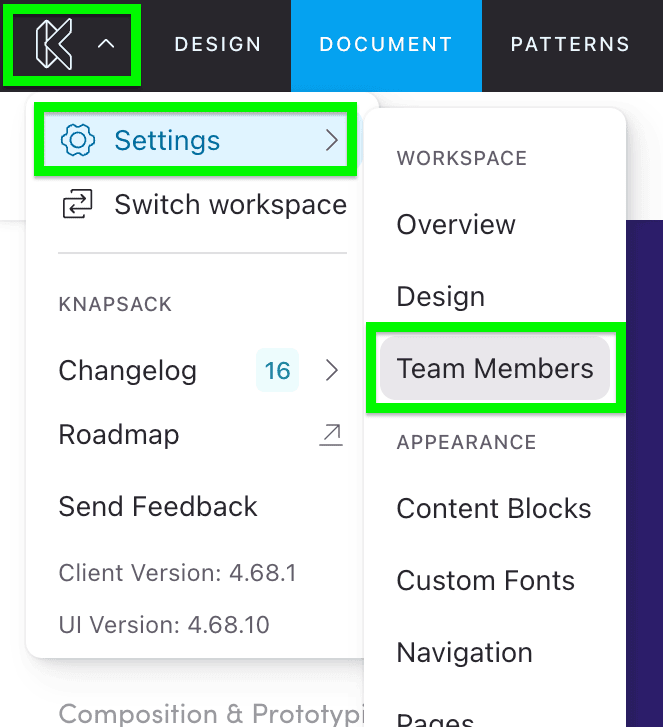
Hover over the “Knapsack” icon in the top right corner and go to Settings » Team Management to access the Team Members settings dashboard.
Managing Workspace Users
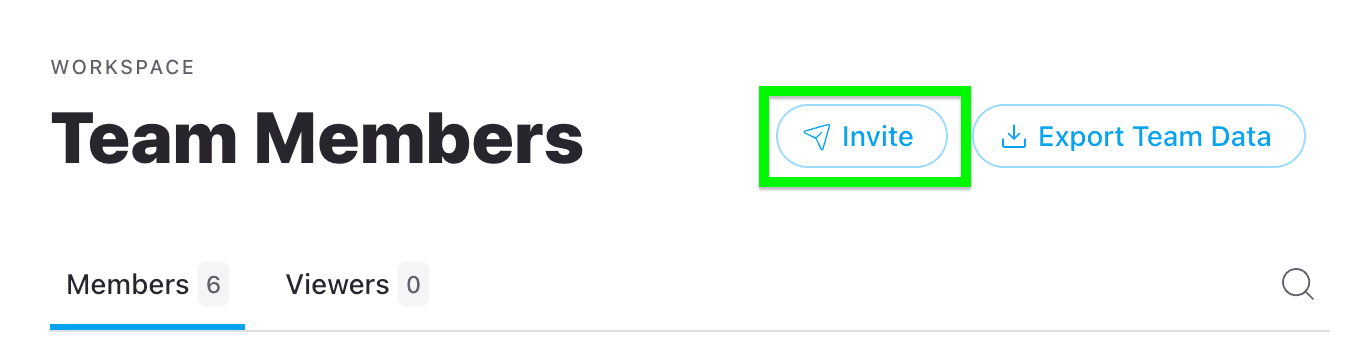
To manage existing users, open the Team Members panel from the Settings page (accessible via the profile drop-down as mentioned above). Users with Admin and Contributor roles will be listed under the “Members” tab, while users with Viewer roles will appear in the “Viewers” tab. To edit a user’s permissions, locate the user in the list and use the drop-down menu to select the desired permission level. Changes are auto-saved as soon as you select a new role.
Removing Users
If you need to remove a user from the workspace, simply click the remove button located to the right of the permission drop-down menu for that user. This will immediately revoke their access to the workspace.