Page Settings
Customize the Default Appearance and Table of Contents Settings of Your Pages.
Overview
The “Page Settings” section allows you to define the default styling and structural elements that apply to all pages within your Knapsack workspace. These settings include “Hero Styles,” which control the visual presentation of page headers, and “Table of Contents” configurations, which determine the visibility and structure of your page navigation.
While these settings establish the default look and feel for your documentation, individual pages can override them as needed to provide flexibility and customization for specific content.
Hero Styles
These settings define the default styling for the hero section of your pages. Options include:
Text Settings:
- Hide Text: Toggle text visibility.
- Title Color: Choose a color using Hex values or a Design Token.
- Description Color: Set the color of the description text using Hex values or a Design Token.
Background Settings:
- Size: Adjust the background size (auto, small, medium, large, or full).
- Color: Set the background color using Hex values or a Design Token.
- Image: Upload a background image.
- Overlay: Toggle the overlay option.
- Contain Image: Toggle the containment of the background image.
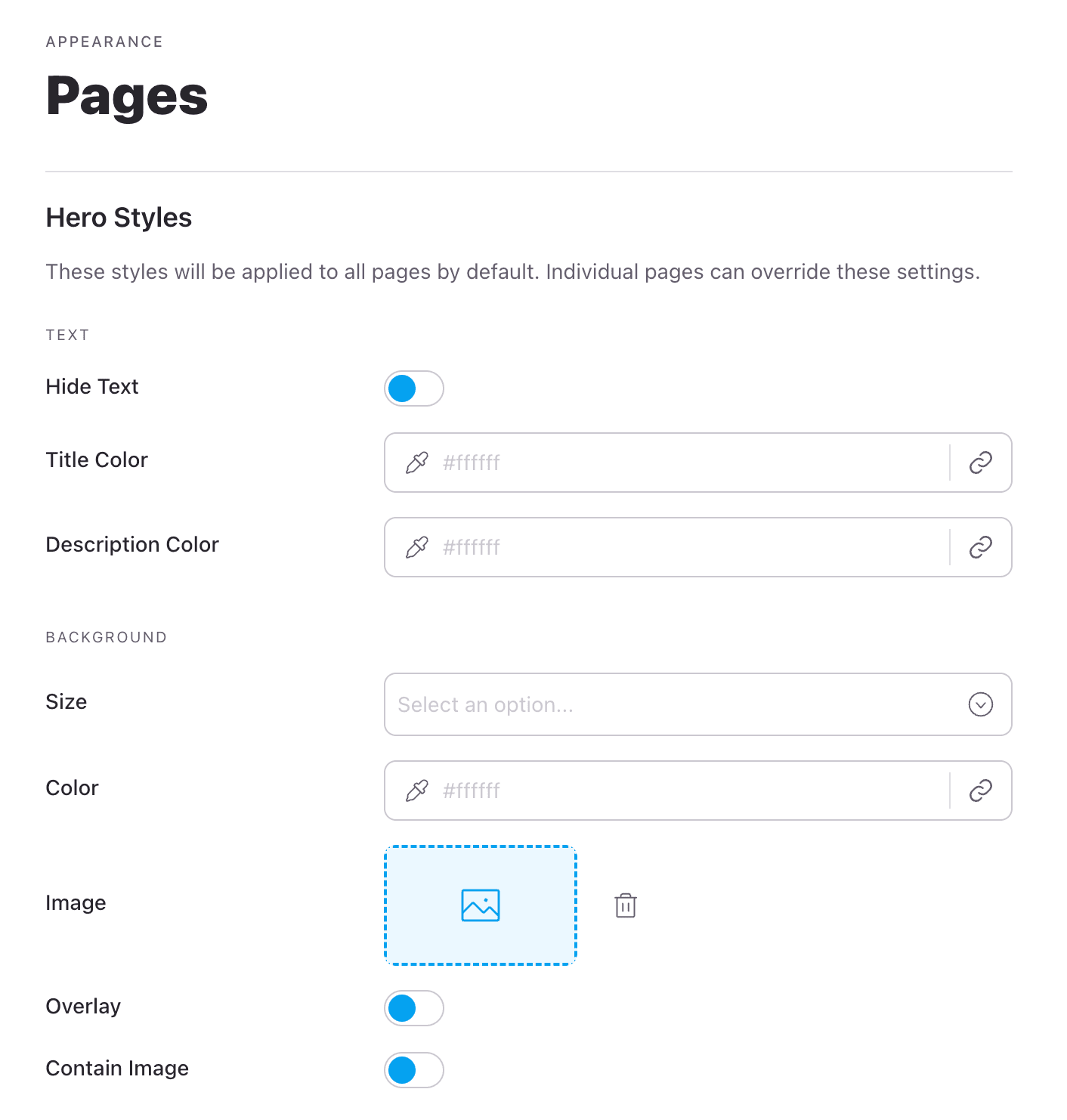
Table of Contents
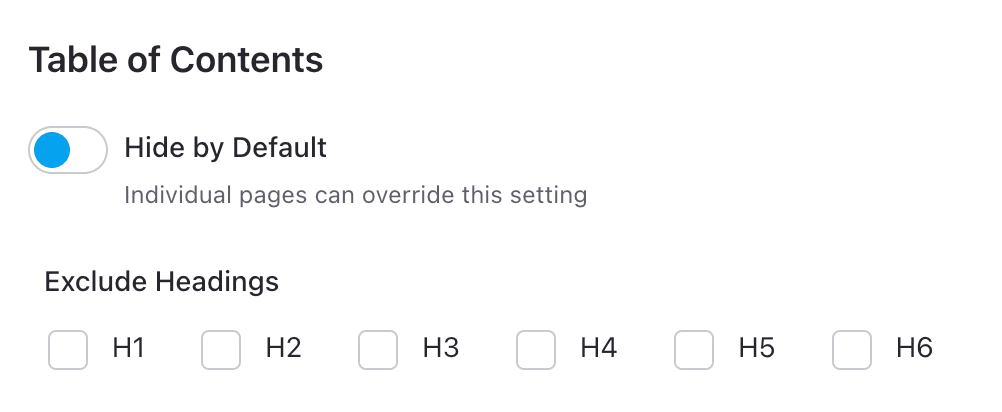
These settings control the default behavior of the Table of Contents for your pages:
- Hide By Default: Choose whether to hide the Table of Contents by default.
- Exclude Headings: Select which heading levels (h1 through h6) to exclude from the Table of Contents, allowing for more refined control over page navigation.