

Typography Styling
Overview
The Typography Settings dashboard allows you to manage and customize the typography styles used throughout your Knapsack workspace. From page titles and descriptions to headers and body text, these settings provide you with the control needed to ensure your text elements align with your brand’s visual identity. By fine-tuning the typography, you can create a consistent and cohesive look across all your documentation and components, enhancing readability and overall user experience.
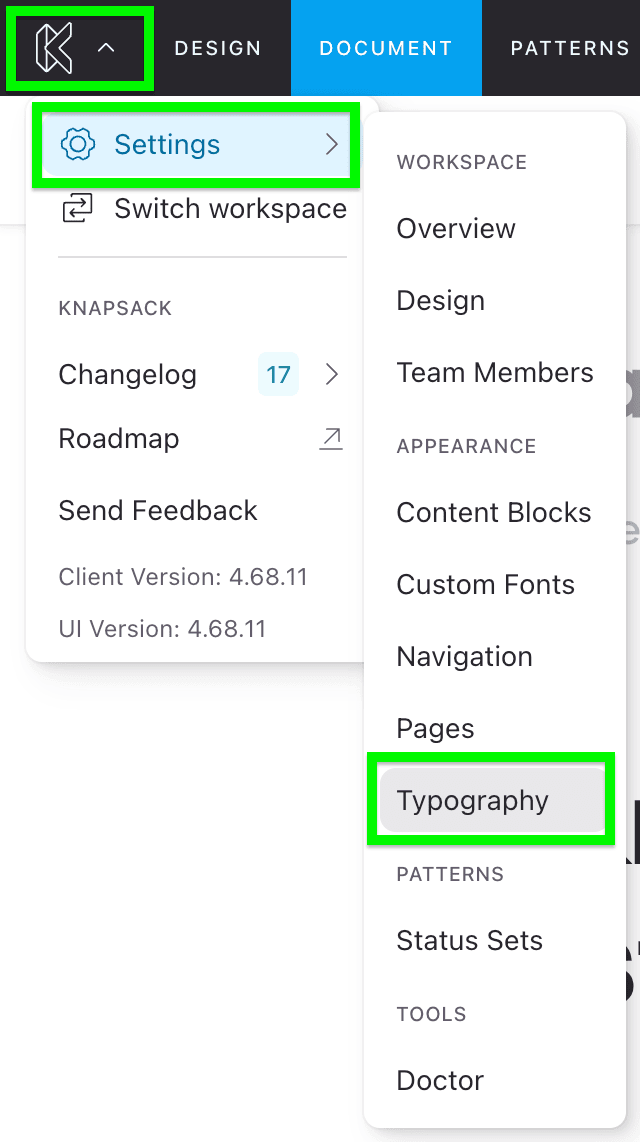
Accessing Typography Styling Settings
To access Typography Styling settings, go to the app menu in the top left corner of the screen, select Settings, and navigate to Typography.
Managing Styles
Within the Typography dashboard, you can choose to style various typographic elements, including:
- Page Title
- Page Description
- H1 through H5
- Body Text
- Link
Available Style Properties
For each typographic element, you can adjust the following style properties:
- Color
- Font Family
- Font Size
- Font Stretch
- Font Weight
- Letter Spacing
- Line Height
- Text Case
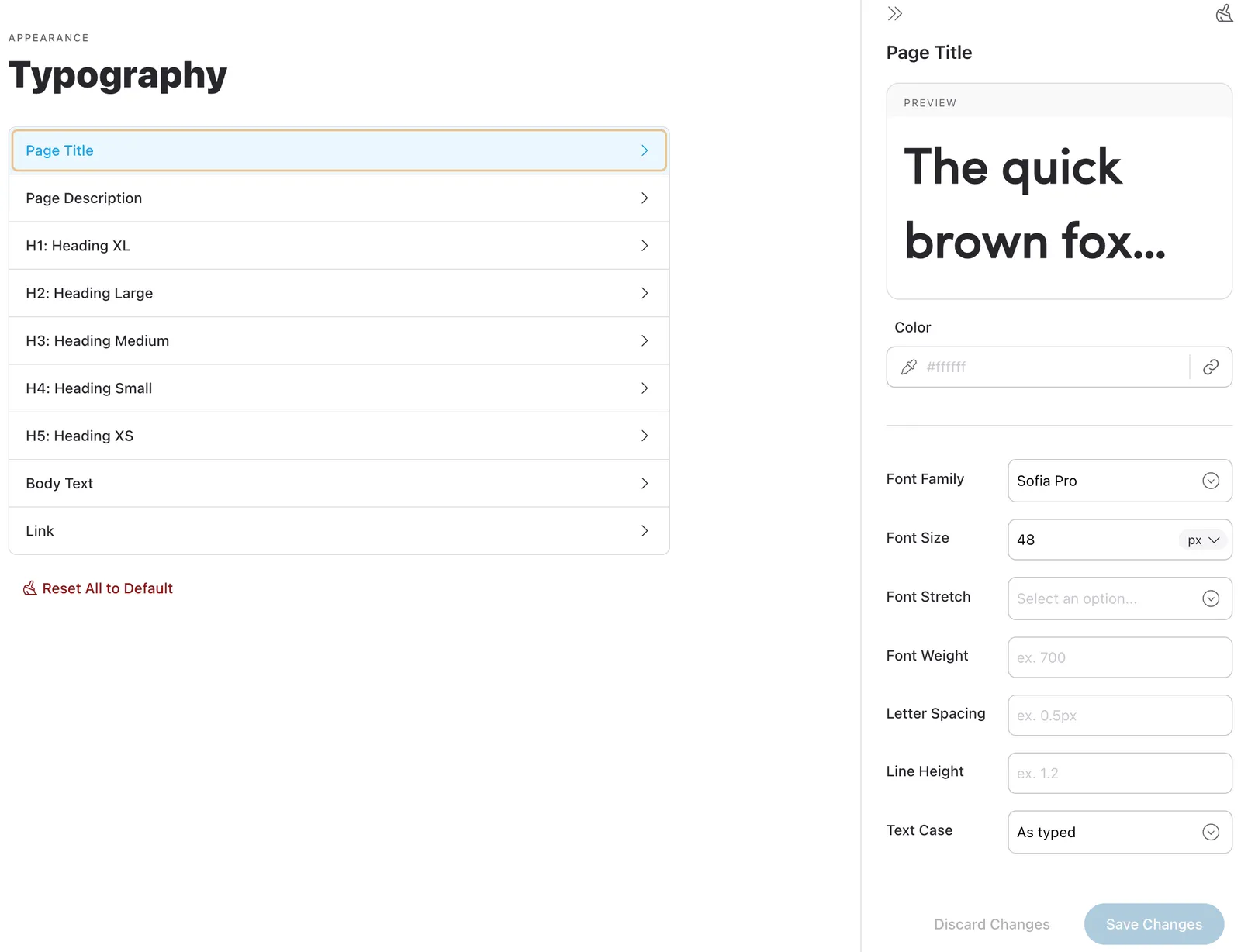
By configuring these settings, you can ensure that all textual elements in your workspace are visually harmonious and aligned with your brand guidelines.